
If an AI agent writes your JavaScript, the skill you need is reading it. Four traps deserve a look in every diff of AI-written code: a missing await, ==, import vs require, and this. Each one can trip you up if you rely on habits from Python, and two of them, a missing await and ==, let code run without any error.
Python raises an error as soon as you use a coroutine you forgot to await. JavaScript hands you a promise, gives you undefined for the field you wanted, and keeps going.
For more on why JavaScript is still worth learning when AI writes it, see Welcome to RealJS.
Free Bonus: JavaScript Gotchas Cheat Sheet
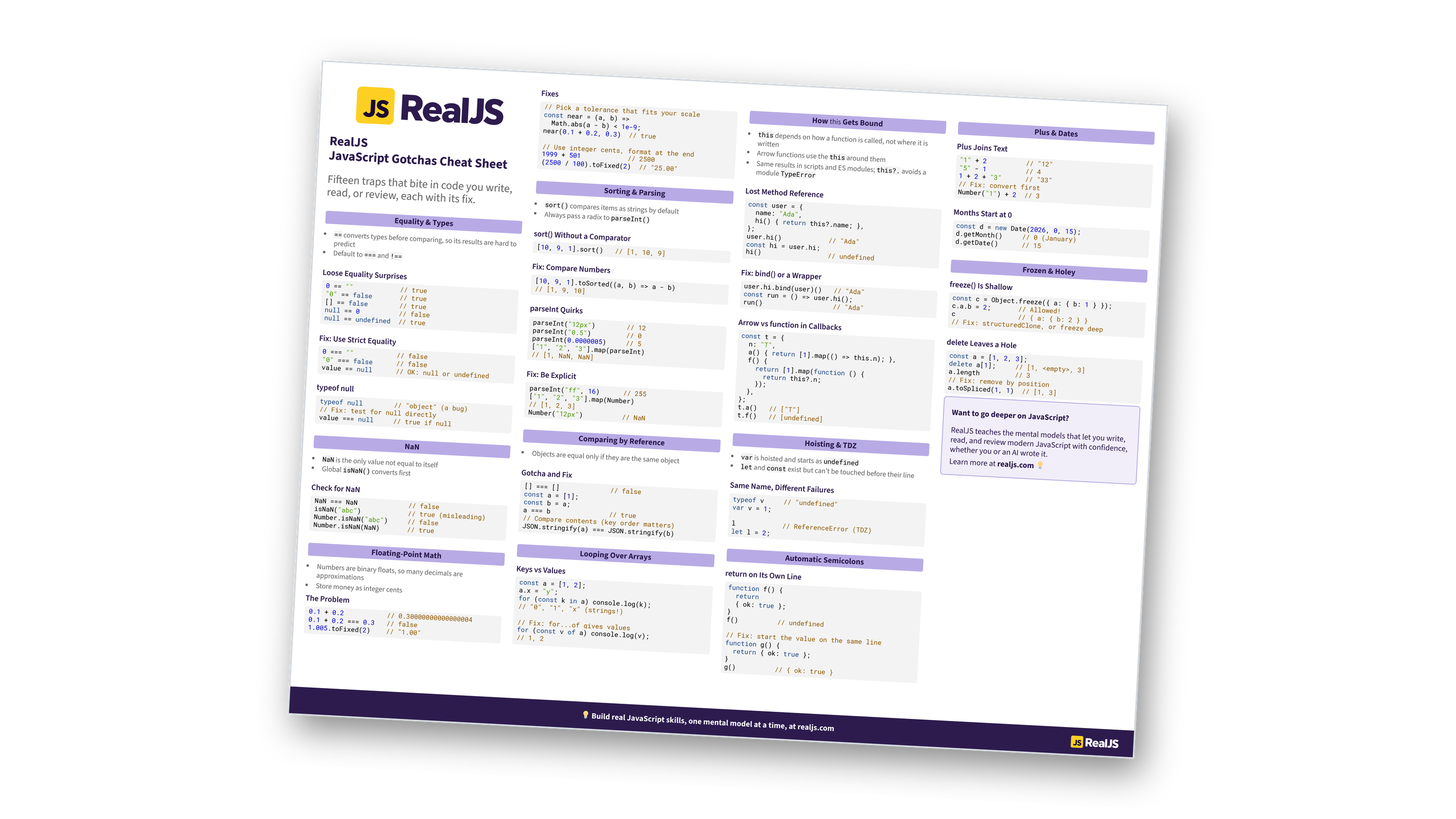
The JavaScript gotchas that trip up AI-written and human-written code, in one printable reference.
Get the Free Cheat Sheet »Developers Trust AI-Written Code Only When They Can Check It
Almost-right code is the complaint developers make most about AI tools: 66 percent reported it in the Stack Overflow Developer Survey 2025. It also feeds the next frustration on the list:
Dealing with “AI solutions that are almost right, but not quite,” … often leads to the second-biggest frustration: “Debugging AI-generated code is more time-consuming” (45%).
The same survey found that more developers distrust the accuracy of AI tools than trust it.
Meanwhile, more of the code comes from AI. In the State of JavaScript 2025 survey, the share of respondents’ code that was AI output rose from 20 percent to 29 percent year over year.
A year later, the Stack Overflow Developer Survey 2026 asked when it’s acceptable to trust AI. Forty-eight percent said they trust it when they can easily validate the answers. The survey calls human-in-the-loop “the dominant mode” of working with AI.
Validating JavaScript means knowing where it goes wrong. Developers have been asking about the same few spots for years, and three Stack Overflow questions about these traps have millions of views each as of November 14, 2026:
AI-written code can carry these old traps into a diff that otherwise looks fine.
Code With a Missing await Keeps Going Without an Error
An async function always returns a promise, even when its body returns a plain object. Call it without await, and you’re holding the promise instead of the object:
async function getUser() {
  return { name: "Ada" };
}

const user = getUser();
console.log(user);
console.log(user.name);
Run it, and watch the second line of output:
Promise { { name: 'Ada' } }
undefined
The promise already holds Ada. But user.name asks the promise itself for a name property, and a promise doesn’t have one. The program prints undefined and exits normally. In a diff, the only sign of trouble is one missing word before getUser().
Python’s version of this bug stops on the line that reads the result. JavaScript’s undefined can flow through several more functions before anything looks wrong, and by then the stack trace points somewhere else.
Loops hide the same mistake. The .forEach() method calls an async callback for every item, but it doesn’t wait for any of those callbacks to finish:
const ids = [1, 2, 3];
const saved = [];

async function save(id) {
  await new Promise((resolve) => setTimeout(resolve, 10));
  saved.push(id);
}

ids.forEach(async (id) => {
  await save(id);
});

console.log("saved:", saved);
The log runs before a single save finishes:
saved: []
All three saves start, and the array fills up about 10 milliseconds later, after the log has already run. If a save fails, a try/catch around the loop never sees the error, and Node.js stops the program with an unhandled rejection instead. A for...of loop with await inside it waits for each save in turn and prints all three IDs.
Check that every promise an async call returns ends up awaited, either directly or through a caller or Promise.all(). Linters catch only part of this, as the table further down shows.
JavaScript Converts Types Where Python Refuses
In Python, 0 == "" is False, because Python never turns a string into a number to compare it. JavaScript’s == can convert one or both sides according to their types before comparing them. The + operator and sort() method make similar guesses. Each line of this program does something Python would reject or handle differently:
console.log(0 == "");
console.log("1" == 1);
console.log([] == false);
console.log("10" + 1, "10" - 1);
console.log([10, 9, 1].sort());
console.log("b" + "a" + +"a" + "a");
None of these lines raises an error:
true
true
true
101 9
[ 1, 10, 9 ]
baNaNa
The first three are true because == turns the empty string, "1", [], and false into numbers before it compares them. Python prints False for all three comparisons.
The fourth line shows + and - disagreeing. With a string on one side, + joins text, so "10" + 1 is "101". Subtraction has no meaning for text, so "10" - 1 converts the string and gives 9. Python refuses the first one with TypeError: can only concatenate str (not "int") to str.
Then there’s the sort. Called with no arguments, sort() compares items as strings, and the string "10" comes before "9". Python’s sorted([10, 9, 1]) gives [1, 9, 10] in a new list. JavaScript’s sort() changes the original array instead, and toSorted() is the version that returns a copy.
The last line is an old JavaScript joke. The unary + in front of the second "a" tries to turn it into a number, gets NaN, and the string concatenation picks it up.
Check for === everywhere and a compare function such as (a, b) => a - b passed to every numeric sort.
import or require: Two Module Systems in One Project
Python has one import syntax, and no file outside your code decides which syntax a module may use. JavaScript has two module systems. CommonJS, the original Node.js format, loads code with require(). ES modules, the standard, use import.
The "type" field in the nearest package.json decides which system a .js file uses. Here’s a project that declares "type": "module":
package.json
{
  "name": "esm",
  "type": "module"
}
The project’s index.js uses require() anyway:
index.js
const { readFileSync } = require("node:fs");
console.log(typeof readFileSync);
Run it on Node.js 26, and it stops on the first line:
$ node index.js
ReferenceError: require is not defined in ES module scope, you can use import instead
Node.js follows the error with a line explaining that the file counts as an ES module because of package.json and that renaming it to .cjs would make it CommonJS.
Flip the setting to "type": "commonjs" and write import, and you get the error behind the most-viewed Stack Overflow question above: SyntaxError: Cannot use import statement outside a module.
The quiet case is a package.json with no "type" at all. Node.js 26 tries CommonJS first. When it finds import, it reparses the file as an ES module, and the program runs. The only trace is a [MODULE_TYPELESS_PACKAGE_JSON] warning that says, “Reparsing as ES module because module syntax was detected. This incurs a performance overhead.”
The two errors are loud: the program stops when the file loads or when the require() call runs. The typeless guess gets past everything except a reader who notices the warning. File extensions also matter: a .mjs file is always an ES module, and a .cjs file is always a CommonJS module, whatever package.json says.
Check the "type" field in the nearest package.json, plus the file extension.
this Gets Lost When a Method Becomes a Callback
In Python, counter.increment is a bound method. It carries self along wherever you pass it. In JavaScript, a method’s this depends on how it’s called, not on where it was defined. Take a method off its object, and the call has no object in front of it:
class Counter {
  count = 0;
  increment() {
    this.count += 1;
    return this.count;
  }
}

const counter = new Counter();
const { increment } = counter;
try {
  increment();
} catch (error) {
  console.log(error.message);
}

function twice(callback) {
  return [callback(), callback()];
}
try {
  twice(counter.increment);
} catch (error) {
  console.log(error.message);
}
console.log(twice(() => counter.increment()));
The first two calls fail the same way, and the third one counts:
Cannot read properties of undefined (reading 'count')
Cannot read properties of undefined (reading 'count')
[ 1, 2 ]
In both failures, this is undefined, so this.count has nothing to read from. Code inside a class always runs in strict mode, which is why this ends up undefined instead of some other object. The arrow function in the last call keeps counter in front of increment(), so the method gets its object back.
The pattern turns up wherever code hands a method to someone else to call later, such as an event handler or an array method like map().
Check for any method that uses this and is passed as a callback without an arrow function or .bind().
Can’t Linters and TypeScript Catch These?
Tools already catch some of this. In a project with strict linting and TypeScript switched on, many agent mistakes fail CI before anyone reads them.
Here’s what typescript-eslint flags for each trap above, starting from its recommended-type-checked config, plus the extra rules and options the table notes:
| Trap | Rule that flags it | Needs types |
|---|---|---|
const user = getUser() without await |
None (TypeScript flags user.name) |
Yes |
forEach() with an async callback |
no-misused-promises |
Yes |
== |
eqeqeq, which you turn on yourself |
No |
"10" + 1 |
restrict-plus-operands, with strict-type-checked options |
Yes |
[10, 9, 1].sort() |
require-array-sort-compare, off by default |
Yes |
require() in an ES module |
no-require-imports |
No |
A package with no "type" |
None: only Node’s warning | No |
| A method passed as a callback | unbound-method |
Yes |
Most of that coverage depends on type information. The docs for no-floating-promises, the rule that flags a promise nobody uses, say that the rule “requires type information to run,” which means a TypeScript setup and a lint config that loads it. Core ESLint’s own async rule, require-await, only warns on async functions that have no await expression. A missing await in front of a call passes a default setup.
Type checks are also only as effective as the type information your code provides. A 2026 study by Lee, Hassan, and Hindle found AI agents “9x more prone to use the ‘any’ keyword” than human developers in TypeScript. A value typed any switches the checker off, so user.name on it passes without a complaint.
If you’re weighing whether TypeScript is worth adding for this, JavaScript vs TypeScript compares the two.
What to Learn Before You Review, and What to Skip
If you review AI-written code as a Python developer, you should learn four things well and put off the rest. The review habits from How to Review AI-Generated Python Code Efficiently still apply, and the four traps above are what JavaScript adds.
Skip prototype chains, bundler configuration, and framework internals until a diff needs them. Those either fail loudly or rarely show up in a diff of application code: a bundler misconfiguration breaks the build, while a missing await ships.
If you already write JavaScript, these traps aren’t news. But while you might skim a long diff, lint rules check every line.
For setup, turn on @typescript-eslint/no-floating-promises and eqeqeq in the project’s ESLint config, because a default setup checks for neither. The first needs typed linting, which covers .js files too when tsconfig.json sets allowJs, and the second works anywhere. Before you review a diff that adds a file, check its extension and the "type" field in package.json, so you know which module system it follows.
The Bottom Line
Agents will keep getting faster at writing JavaScript, and you’ll still need to review their code. Applying the habits above to every diff helps you catch the traps that look like working code.
To build that skill on purpose, follow the Practical Programming With JavaScript and AI learning path on RealJS.
Frequently Asked Questions
These are the questions people ask most often about reviewing AI-written JavaScript, with short answers:
Focus on four traps: a missing await, ==, import versus require(), and this. They look fine in a diff, unlike bundler misconfigurations that break loudly. Put the rest off until a diff needs it.
An async function always hands back a promise. Without await, the variable holds that promise, so reading user.name gives undefined and the program exits normally.
The "type" field in the nearest package.json picks the module system for .js files. With "type": "module", the file is an ES module, and ES modules don’t define require(). Switch to import, or rename the file to .cjs to make it CommonJS.
A method’s this depends on how it’s called, not where it was defined. Passing counter.increment alone strips the object from the call. Wrap it in an arrow function or use .bind().
Only partly. Most of the useful rules need type information, and eqeqeq must be switched on by hand. A default setup doesn’t catch a missing await, and a value typed any turns the type checker off.