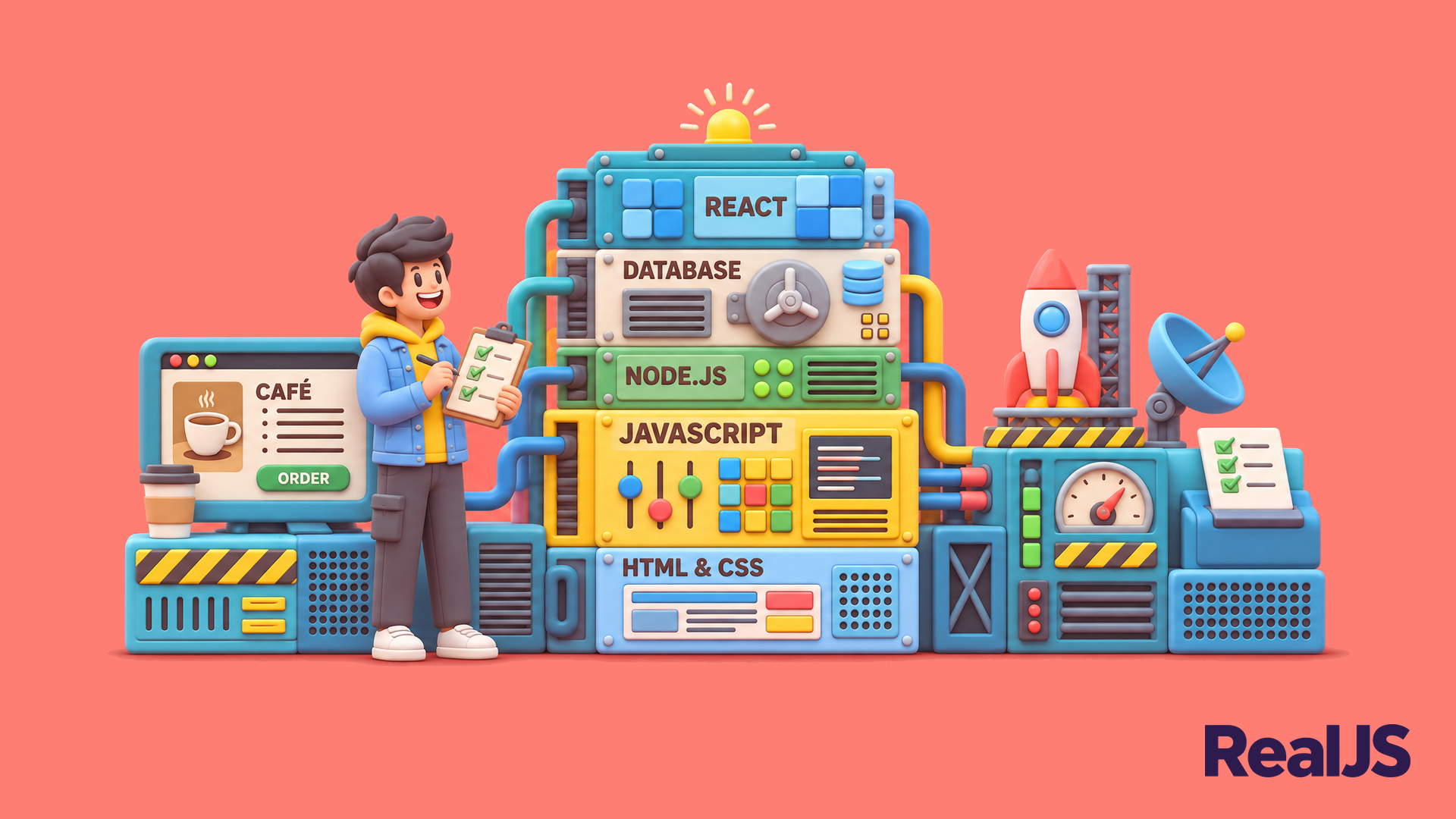
To become a full stack developer, learn HTML and CSS to build web pages and JavaScript to make them respond. Then learn to build the server and database that send and store a page’s data, and to put a site online. Add React and TypeScript last. At 10 hours a week, bootcamp hours would take 13–20 months.
React builds a page from reusable pieces, such as buttons and menus. TypeScript adds checks that catch some mistakes before your code runs. Both build on JavaScript, so it makes sense to learn the language first.
JavaScript runs through almost every stage. In Stack Overflow’s 2026 Developer Survey, JavaScript was the most-used programming language for the 12th year in a row, with 62 percent of respondents saying they’d done extensive work in it over the past year.
After the roadmap comes the job search, and today’s market makes that part slower than it was a few years ago.
Free Bonus: JavaScript Cheat Sheet

Variables, arrays, objects, functions, and async basics in one printable reference.
Get the Free Cheat Sheet »What Does a Full Stack Developer Do?
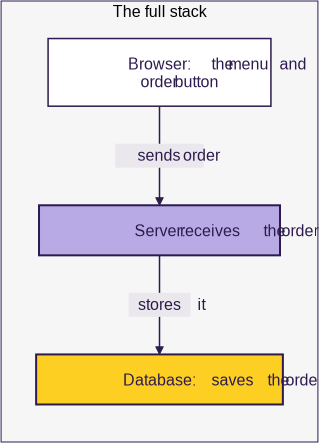
Picture a café’s website where you order coffee ahead. The frontend is the part you see and touch in your browser, like the menu and the button that adds a latte to your order.
The backend runs out of sight on a server, a computer that’s always online and answers requests from browsers. It receives your order and saves it in a database, an organized store of data, so the barista’s screen can show it a minute later.
Put those layers together, from the page in your browser down to the database, and you have the stack: the set of tools a site runs on. A full stack developer can work on all of it. To see what that looks like, imagine the café wants to let customers choose a pickup time. That one feature touches every layer. You’d need a dropdown list on the order page, server code that accepts the time, and a place in the database to keep it:
On a bigger team, a frontend developer usually handles the page while a backend developer takes care of the rest. A small company may not have the budget for both, which is one reason so many postings ask for someone who can work on every layer.
If you’re just starting out, begin with the frontend. Every change you make shows up in your browser right away, so you can see exactly what your code does.
How Much Does a Full Stack Developer Earn?
If you go looking for full stack developers in US government job data, you won’t find them by that name. The Bureau of Labor Statistics (BLS) has no category for this work. Its closest match is the profile of web developers and digital designers, which describes the same split you just saw.
BLS notes that “some developers and designers handle all aspects of a website’s construction, and others specialize in a certain aspect of it.” (Source)
Since there’s no single category, the best way to estimate pay is to use the two closest ones as a range. In May 2025, US median pay was $92,650 a year for web developers and $135,980 for software developers. The median is the middle figure, so half the people in each job earned more and half earned less.
Pay also varies a lot within a job. Among web developers alone, the lowest-paid 10 percent earned less than $48,100, while the top 10 percent earned more than $162,290.
Looking ahead, BLS projects 3.8 percent growth in web developer jobs from 2025 to 2035 in its Employment Projections matrix. It also adds a caveat about AI.
BLS notes that “improving web development tools and increasing use of artificial intelligence (AI) for web development may soften the employment growth of these workers.” (Source)
You’ll see how to stand out despite that in the job-ready section later on.
What about a degree? BLS lists a bachelor’s degree as the typical way into web and software development, but it also says some web developer and digital designer roles require only a high school diploma. So a degree is common but not required everywhere, and each posting will tell you what that employer wants. Either way, a set of finished projects you can show is the part you control.
The Full Stack Developer Roadmap
The roadmap has five stages. Each one builds on the one before it and ends with a checkpoint, so you’ll know when you’re ready to move on. After the five stages, you’ll learn React and TypeScript before you start applying.
At about 10 hours a week, the whole roadmap takes 13–20 months. If you have more or less time than that, drag the slider to see how long each stage would take you:
The total hours stay the same, so doubling your weekly time halves every bar.
The time estimate comes from full-time coding bootcamps. Course Report puts the average bootcamp at about 14 weeks, with full-time online bootcamps running 40–60 hours a week (December 2025). That adds up to 560–840 hours, or 13–20 months at 10 hours a week. Each stage gets a share of that total based on how much it covers.
Other curricula take longer. freeCodeCamp’s full stack certification also teaches a second language and algorithms, which are step-by-step methods for solving problems, and its coursework runs about 1,800 hours (September 2025).
Don’t worry if your own pace turns out different. Even The Odin Project, a free curriculum that aims to take students from no programming knowledge to a web developer job, declines to put a number on it in its FAQ:
“There is no good way to estimate how long it will take you to reach that point, and we don’t have any good way of getting data on how long it takes on average anyways.”
Use the estimates to plan your time, not to judge your progress.
Stage 1: HTML and CSS
Every page the café’s customers see starts with two kinds of files. HTML holds the content, such as the menu’s headings, the drink photos, and the order form. CSS sets how it looks, including the colors and where each part sits on the screen. Expect this stage to take about 1.5–2 months.
You’re ready to move on when you can build a page with headings, links, images, and a form, and style it so it still works on a phone-sized screen. Check it on a real phone too, because a narrow screen breaks layouts that look fine on a laptop.
You can leave CSS frameworks, such as Bootstrap and Tailwind, and animation for later. Frameworks are shortcuts built on plain CSS, so they’re easier to pick up once you know the CSS they write for you.
Stage 2: JavaScript in the Browser
JavaScript is what makes the café’s page respond, like the menu that opens when you tap it and the order total that goes up when you add a latte. This is the longest stage, at about 5–6.5 months, because JavaScript is a whole programming language, and the code you’ll write in the later server and React stages uses it.
The stage starts with the language: values, decisions, loops, and functions. If you’re new to programming, the RealJS beginner learning path walks you through these basics.
Then comes the page itself. You write JavaScript that changes what’s on the screen and asks a server for data. The data usually arrives as JSON, a plain-text format for sending lists and records from one program to another.
Build something small after every few topics instead of finishing every lesson first. A page that works teaches you more than a lesson you only watched.
You’re ready for Stage 3 when a click changes your page, and data fetched from a web address shows up on it.
Stage 3: A Server With Node.js
Until now, the café’s menu has lived inside the page. In this stage, it moves to a server, so every customer’s browser gets the same menu, and the café can change a price in one place.
Node.js runs JavaScript outside the browser, so you can use it to build a server. You don’t have to start over with a second language. Node.js is also the web technology that the most Stack Overflow respondents used. This stage takes about 1.5–2.5 months.
The server you build here provides an API, a set of rules one program uses to ask another for something. On a web server, it’s usually a set of web addresses that answer requests with data instead of a page.
The slice folder in the downloadable materials contains the smallest version of that idea. A Node.js server holds a short list of skills, and a page asks the server for it. On Node.js 26, the server’s reply to /api/skills is this JSON, shown here with one record per line:
[
  { "name": "HTML", "stage": 1 },
  { "name": "CSS", "stage": 1 },
  { "name": "JavaScript", "stage": 2 },
  { "name": "Node.js", "stage": 3 }
]
Each pair of curly braces encloses one record, with a name and a stage. In Chrome 155, the page turns those four records into a four-item list, starting with “HTML (stage 1)”.
You’re ready to move on when your own server answers with JSON, and you’ve installed a package with npm. A package is a bundle of code someone else wrote, and npm is the tool that downloads it, so you don’t have to write everything yourself.
It’s tempting to pick up a second backend language, such as Python or Java, but it can wait. Java is a separate language from JavaScript, though the names share a story.
Plenty of backend jobs use Python or Java instead of Node.js, but staying with JavaScript saves you learning a second language, leaving more time for the next two stages. If the postings near you mostly want Java or Python, learn that language here instead, and the other stages stay the same.
Stage 4: A Database
Stop the café’s server and start it again, and every order disappears. That’s because the orders only live in the running program’s memory. A database saves them to the computer’s storage, so they’re still there after a restart, a crash, or a week off.
To talk to a database, you’ll use SQL, the language for saving data and asking for it back. It’s worth the effort: in Stack Overflow’s survey, SQL is the second-most-used language, right behind JavaScript. This stage takes about 1–1.5 months.
For your database, choose PostgreSQL, a free SQL database, and stick with it so you can focus on SQL itself instead of comparing tools. It’s the database that the most Stack Overflow respondents used, at 58 percent, ahead of SQLite and MySQL.
You’re ready to move on when the café’s orders survive a restart of your server.
You’ll hear a lot of debate about SQL versus NoSQL databases. SQL databases keep data in tables of rows and columns, and NoSQL databases store it in other shapes. MongoDB, for example, stores each record as a document. You don’t need to settle that debate for your first projects, so leave it for later.
Stage 5: Ship It
Nobody reading your application can open a project that only runs on your laptop. This stage teaches you how to put a project online, and learning that takes about 1–1.5 months.
It starts with Git, a tool that saves a snapshot of your code each time you tell it to, and GitHub, a website that stores those Git projects where others can see them. Then you connect your project to a hosting service, a company that keeps your site running on its computers so anyone can open it. You set it up so the site updates each time you send new code to GitHub.
That automatic setup is part of what job postings call CI/CD, short for continuous integration and continuous delivery or deployment. On a team, CI/CD runs the tests on every change, then gets the code that passes ready to publish, or publishes it.
You’re ready when your project is on GitHub and a stranger can open your link. Before you share it, keep passwords and secret keys out of the code you send to GitHub, since anyone can read a public project. Then send the link to a friend, and ask them to place a café order from their phone.
Docker and cloud certifications can wait. Docker packs an app and the software it depends on into one bundle that runs the same way on any server set up for Docker. A first project can go online without it, and it’s easier to learn once you have a working app to put in the bundle.
Before You Apply: React and TypeScript
React and TypeScript come last because they build on everything before them, and they’re the two names you’ll see most often next to JavaScript. In Stack Overflow’s survey, 42 percent of respondents used React, second only to Node.js among web technologies, and 44 percent used TypeScript.
This block takes about 3–5.5 months, making it the second-longest part of the roadmap. With React, you build the café’s menu from components, reusable pieces such as one menu item that you write once and use for every drink. TypeScript adds types, labels for the kind of data each value holds. Its checker reads those labels before the code runs, so it flags a price written as the text "4.50" where your code expects a number.
You’re ready to apply when you’ve rebuilt a page from one of your projects with React components, added TypeScript types to that project, and fixed every problem the checker flags.
You might wonder whether to learn a second framework too, such as Angular, which does React’s job in its own way. Only 16 percent of Stack Overflow respondents used Angular, far fewer than used React, so one framework is enough for now.
Every “ready when” above is a box in the printable roadmap checklist. Tick a box only when you can do the thing without looking it up.
How to Prove You’re Job-Ready
Once you’ve worked through the roadmap, you’ll need a way to show employers what you can do, and your projects do most of that work for you. The checklist’s Ready to apply block asks for two or three projects that are deployed online, each with a frontend, a server, and a database. A project with all three layers shows the whole range of the job in one link, and the café’s order-ahead site makes a good first one.
Make your other projects different from the first, so that together they show more than one kind of feature. For example, a site that lets people sign in, or one that pulls in data from another service, uses skills the café site doesn’t.
Each project also needs a public repository, a folder of code on GitHub, with a README file that says what the project does and how to run it.
Name your tools in each README the way postings name them, such as React, TypeScript, Node.js, and PostgreSQL. That way, anyone checking your work against a posting can quickly find the skills it lists.
Finally, here’s where you can stand out: make sure you can explain every line of your projects, including any that an AI assistant wrote. AI coding assistants and agents write and change code for you, and in Stack Overflow’s 2026 Developer Survey, 66 percent of respondents said they use them at work. Reading code well is how you check what those tools wrote, and how you show an employer that the project is really yours.
What the Job Market Looks Like Now
If the job search feels slower than the stories from a few years ago made it sound, that’s not just you. Software job postings are still below where they were before the pandemic. Indeed tracks US software development postings as an index, with February 1, 2020, set to 100.
On October 30, 2026, the index stood at 81.6, about 18 percent below that baseline, according to data published by Indeed Hiring Lab. The good news is that it’s up about a quarter from 65.9 a year earlier.
Expect many of the postings you read to ask for more experience than you have, and don’t let that stop you. Apply when you can do most of what a posting lists, and let your deployed projects make the case for the rest.
Your First Step This Week
The whole path starts with a single HTML page, and you can build one this week with a text editor and a browser. Make it the café’s menu, or a small site you’d use yourself, with a heading, a few links, an image, and an order form. Once it’s done, you’re ready to add CSS.
When that page is styled and works on your phone, you’re ready for JavaScript. A good place to start that stage is the RealJS learning path:
Learning Path
Practical Programming With JavaScript and AI
6 Resources ⋅ Skills: Reading Code, Conditionals, Loops, Functions, Debugging, Checking AI-Written Code
You don’t need any programming experience to start it, and along the way, it teaches you to check the code that AI tools write.
Frequently Asked Questions
Here are short answers to questions a beginner may have about this career path:
Expect about 13–20 months if you study 10 hours a week, plus time for the job search. That range spreads the 560–840 hours of a full-time bootcamp over part-time weeks. It’s a planning estimate rather than a measured one, so your own pace may differ.
Not everywhere. The Bureau of Labor Statistics names a bachelor’s degree as the usual way in, but it also says some web developer roles require only a high school diploma. Check the postings you care about, and put together completed projects to show employers.
Start with the frontend: HTML and CSS, then JavaScript. Every edit shows up instantly on screen, so you can see what your code does. After that, you’ll build a server, add a database, and put your site online, then finish with React and TypeScript.
The government has no category for this exact work, so the pay for the two closest jobs gives a range. Web developers had a US median of $92,650 a year in May 2025, and software developers had one of $135,980. The median is the middle figure for each job, with as many people above it as below.
Yes, and it already has. Most developers now use AI coding tools at work, and the government’s outlook for web developers names AI as one reason job growth may slow. That makes reading code more valuable, because someone has to check what an assistant wrote, and employers want to see that you can.