
At the end of the last lesson, the events page had a menu with its own class, and every selector you’d written picked elements by what they are or what they carry. Rosa now wants the links in the menu a size larger, while the links in the events’ text stay as they are. None of those selectors can say that. Every link is an <a>, and none of the menu’s links has a class.
In this lesson, you’ll select elements by where they sit in the page’s tree: anywhere inside another element, directly inside it, or right after it. You’ll read each selector from right to left and predict what it matches before you check it in the Elements panel. Start with the menu’s links.
Select the Links Inside the Menu
The menu’s links have no class of their own, but they all sit inside an element that does. The page is a tree, as the Elements panel shows: each element has one parent, and the elements nested directly inside it are its children. Children, their children, and so on down are its descendants. Here’s the header of events/upcoming.html as you left it, with the menu you built in HTML:
<header>
  <p>Elm Street Community Garden</p>
  <nav class="site-nav">
    <ul>
      <li><a href="../index.html">Home</a></li>
      <li><a href="../plots.html">Plots</a></li>
      <li><a href="../about.html">About</a></li>
    </ul>
  </nav>
</header>
The three links aren’t children of the <nav>. Each <a> sits in an <li>, inside the <ul>, inside the <nav>. They’re the nav’s descendants, though, and that’s enough to select them. Right now, the menu’s links are the same size as the text around them:
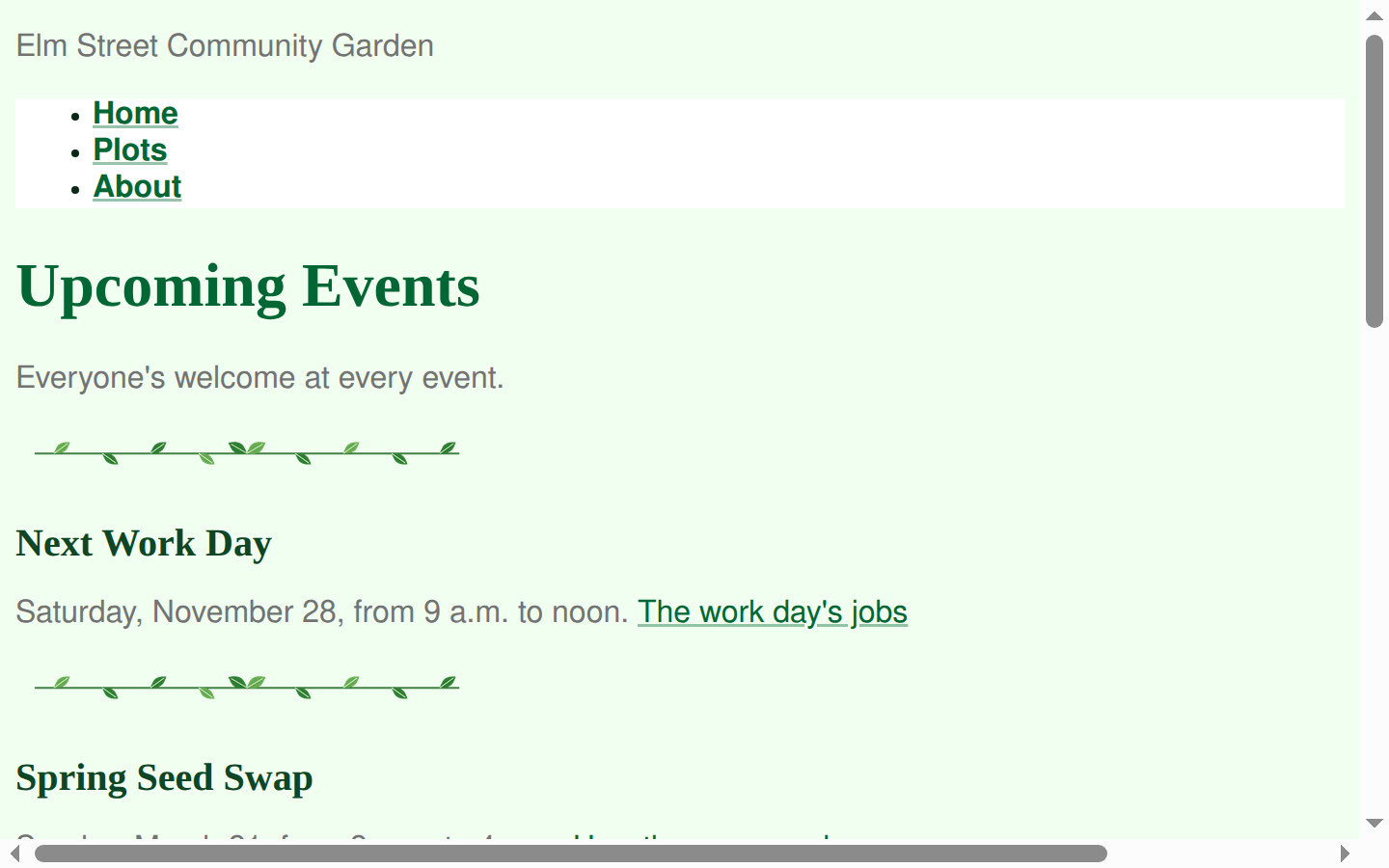
To make only those three links larger, add this rule to the end of events/events.css:

