Your about page has an outline and lists, but inside each paragraph, every word is the same plain text. To the browser, a warning, a date, and a filename are all alike. Rosa’s notes for volunteers need more than that. They have one rule people mustn’t miss, a date, and a few lines for whoever helps her edit the site.
In this lesson, you’ll choose elements for what words mean, not how they look, see why two elements that look identical aren’t interchangeable, and explain a choice of your own. Start with the words that need to stand out.
Choose Elements by Meaning
A programmer’s instinct is to pick whichever element gives you the look you want. In HTML, though, the browser’s default styles are only a first guess at a look. The element tells the browser what the text is, and the look follows from that.
Open about.html in your garden/ folder and add this section at the end of <main>:
<h2>Before You Come</h2>
<p>
  Next work day:
  <time datetime="2026-11-28T09:00">Saturday, November 28, at 9 a.m.</time>
</p>
<p><strong>Close the gate behind you</strong>, or rabbits get in.</p>
<p>Water in the <em>morning</em>, before the sun is on the beds.</p>
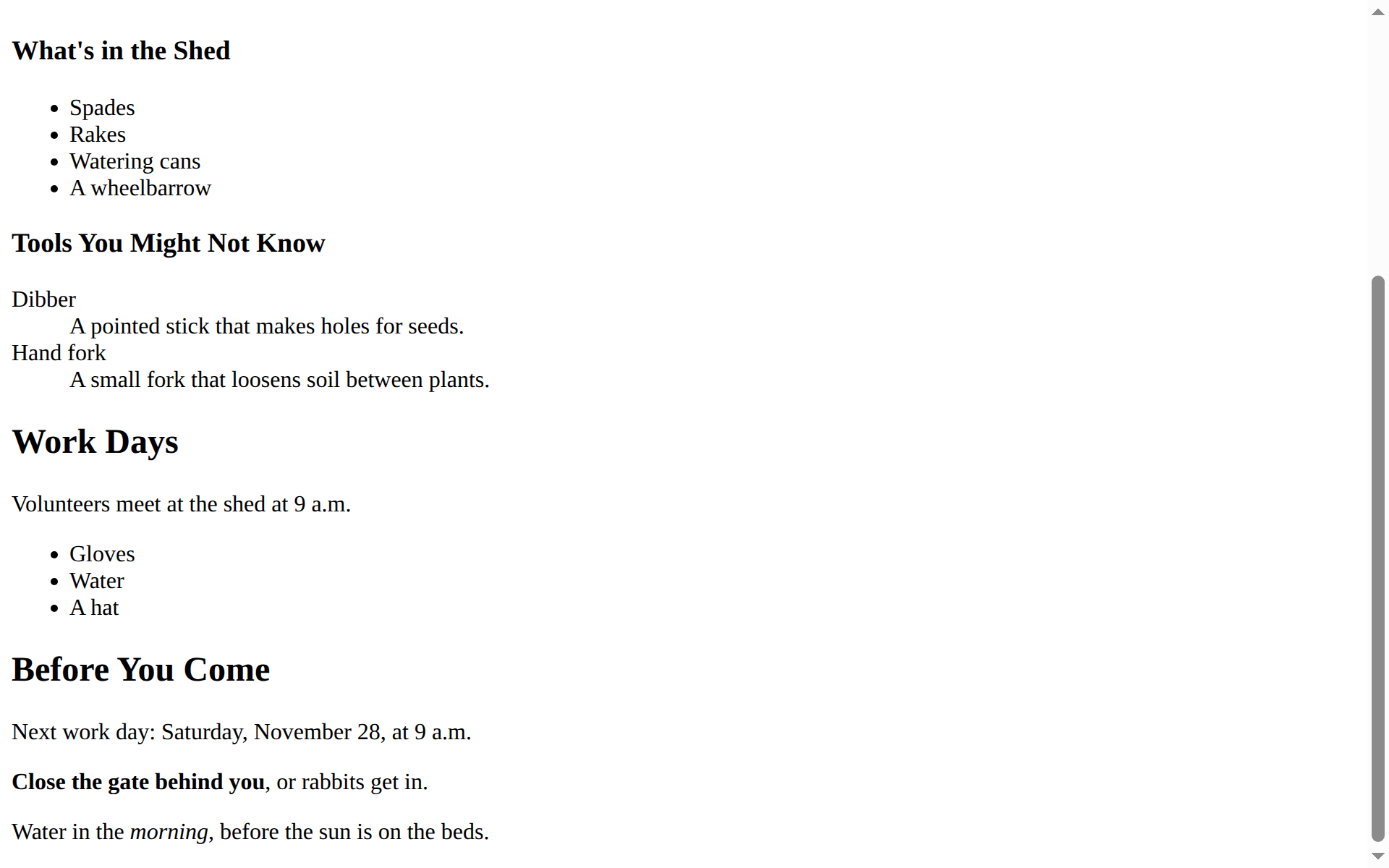
Save and change the end of your preview’s address to /about.html, for example, http://127.0.0.1:3000/about.html. The gate rule is bold, morning is in italics, and the date looks like any other text.
Here’s the new section: