
Your sign-up form now turns Your name and Email red once a visitor has had a go at them. The rest of the form still looks like the browser’s default. The text in every box is smaller than the labels and in another font. Each label sits beside a field of a different width, and a red border is the only sign of a mistake. A visitor who can’t tell red from green gets no message at all.
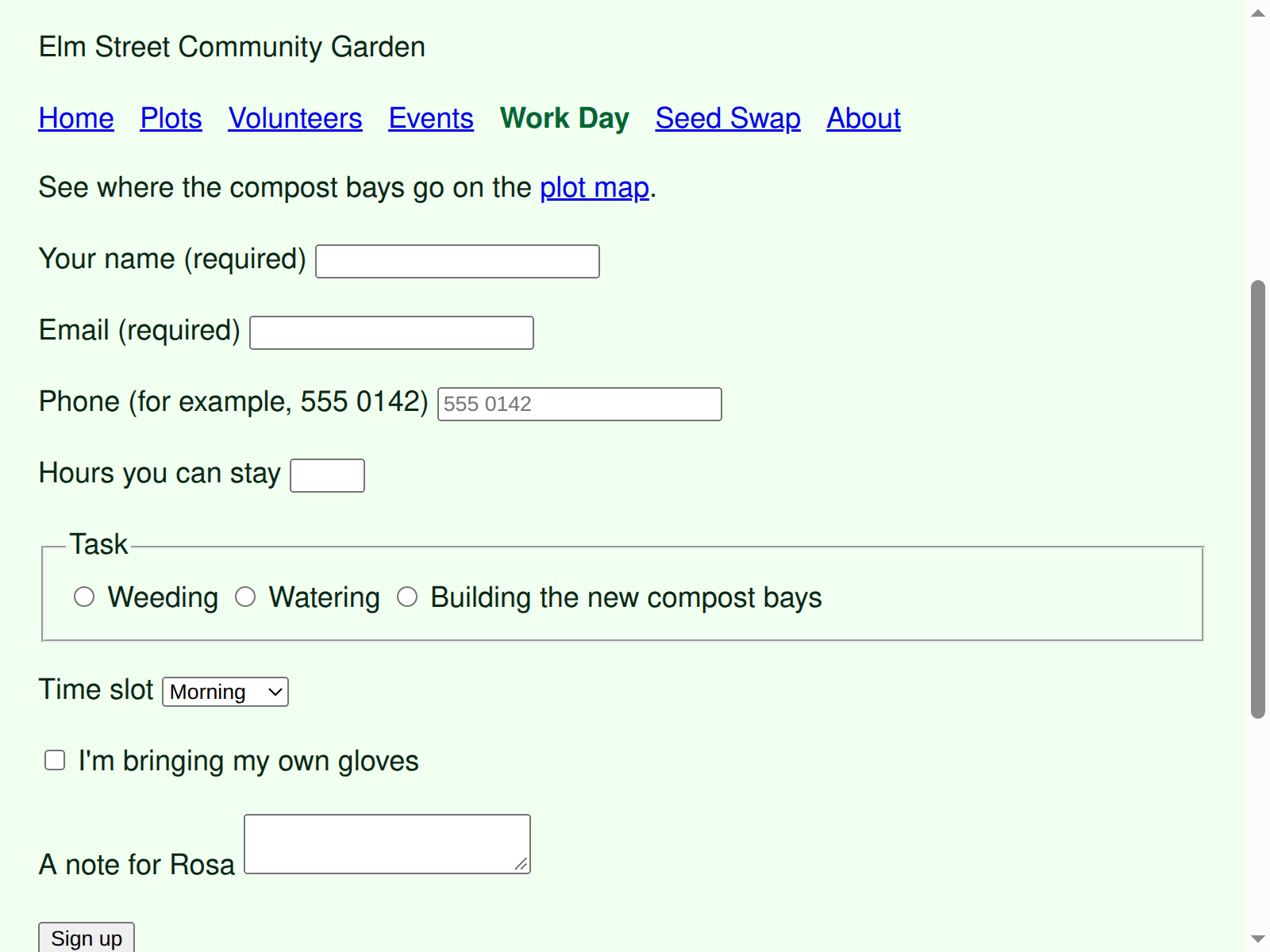
In this lesson, you’ll make the controls match the site: the page’s font, labels above fields that fill the form, a clear focus style, and an error message next to the field. Start with the font. Here’s the form as it stands:
Use the Site’s Font for Controls
The site sets its font once, on <body>, and every element seems to inherit it. In DevTools, select the Your name <input> in the Elements panel and open the Computed pane. The <body> has a font-size of 18px. Predict what the input’s is before you look.
The input’s font-size is 13.3333px, and its font-family is the browser’s choice for controls, Arial here, not the site’s system-ui, sans-serif. The <select> and the Sign up button show the same, and the <textarea> uses monospace. The browser’s stylesheet gives every form control a font of its own, so controls don’t inherit the page’s font the way a paragraph does.
The inherit keyword asks for the parent’s value instead. The font shorthand covers the family, the size, and the rest of the font properties in one declaration. In the base layer of style.css, add this rule before the footer’s rule:
button,
input,
select,
textarea {
  font: inherit;
}
If you’ve written button { font: inherit; } before, this is the same rule extended to the other three controls. It belongs in base because it sets how a kind of element looks everywhere on the site, not in one form. Save, and the Computed pane shows 18px and system-ui, sans-serif for every control.
If it isn’t clear yet why a paragraph inherits the font and an input doesn’t, the button below opens a chat with the AI mentor, starting from this question, so you can compare the two in the cascade:

