
In the last lesson, you gave the garden’s headings Fraunces, a font that travels with the site. Readable text also depends on how big each heading is, how far apart the lines sit, and how long each line runs. On the events page, nobody has chosen those yet.
In this lesson, you’ll size the headings on a scale in rem and give every line room with a line-height that suits its size. You’ll also predict the line height an element inherits and hold paragraphs to a length that’s comfortable to read. Start with the sizes, where two of the page’s headings are hard to tell apart.
Size the Headings on a Scale
A heading’s size tells readers where it sits in the page’s outline before they read a word, so each level should look clearly different from the next. Open upcoming.html, with events.css as you left it in Self-Host a Web Font, and scroll to the Coming Up section:
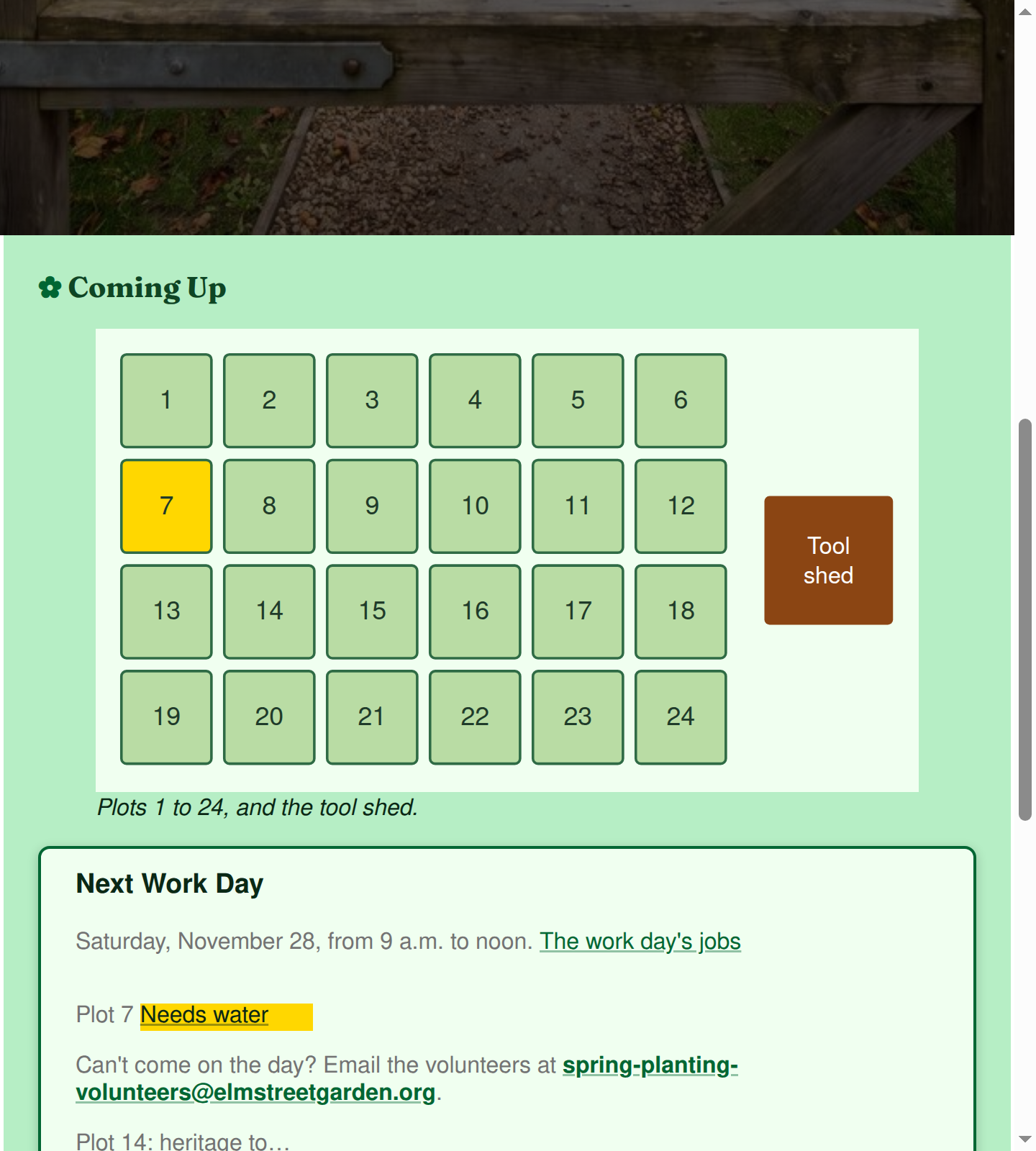
Coming Up is the section’s <h2>, and Next Work Day is a card’s <h3>, one level below it. Select each one in the Elements panel and check font-size in the Computed pane. The <h2> is 20px, from the --size-large token in its rule, and the <h3> is 18.72px, from the browser’s own stylesheet. The two levels are little more than a pixel apart.
The fix is a type scale: a short list of sizes, each a fixed ratio bigger than the one below, that you use for text across the site. You already have a small one. The site’s style.css, at the top of your garden/ folder, has three size tokens: --size-text is 1.125rem, --size-h2 is 1.5rem, and --size-h1 is 2rem. Each step is a third bigger than the one before it.
The events page needs more steps. Its body text stays at the browser’s default of 1rem, and it has three levels of heading above that. Start from 1rem, multiply by 1.25 for each step, and round to the nearest quarter rem: 1.25rem, 1.5rem, 2rem, and 2.5rem. The cards’ headings take 1.25rem and the section’s heading 1.5rem. The banner’s <h1>, the page’s title, takes the top step, 2.5rem.
Write them as plain rem values for now, as you’ve done with every size in this course. In Organize Your Stylesheet by Purpose, you’ll turn them into tokens that extend the three in style.css, which stay as they are until then. In rem, the sizes also follow the text size a visitor picks in their browser’s settings.
First, take the token out of the h2 rule in events.css, so the heading’s size is set in one place only:
events/events.css
h2 {
  color: var(--green-dark);
}
The --size-large token itself stays, because the navigation links still use it. Then add the scale at the end of the file:
events/events.css
h1 {
  font-size: 2.5rem;
}

h2 {
  font-size: 1.5rem;
}

h3 {
  font-size: 1.25rem;
}
Save, and compare Coming Up with the card’s Next Work Day below it:
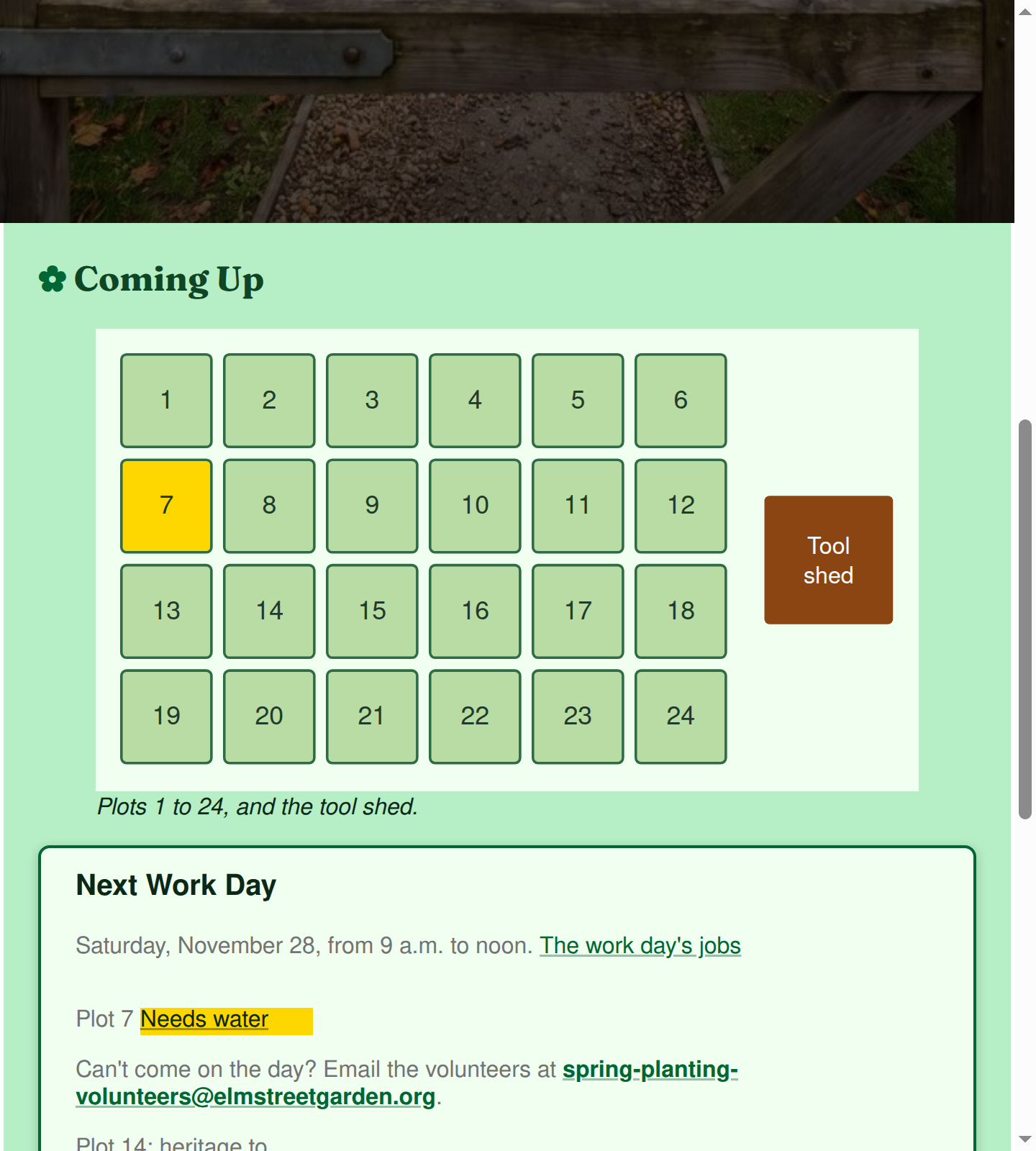
Coming Up is now 24 pixels to the card titles’ 20, a step you can see at a glance. Scroll up, and you’ll see that the banner’s Upcoming Events grew too, from 32 to 40 pixels.

