TypeScript Cheat Sheet
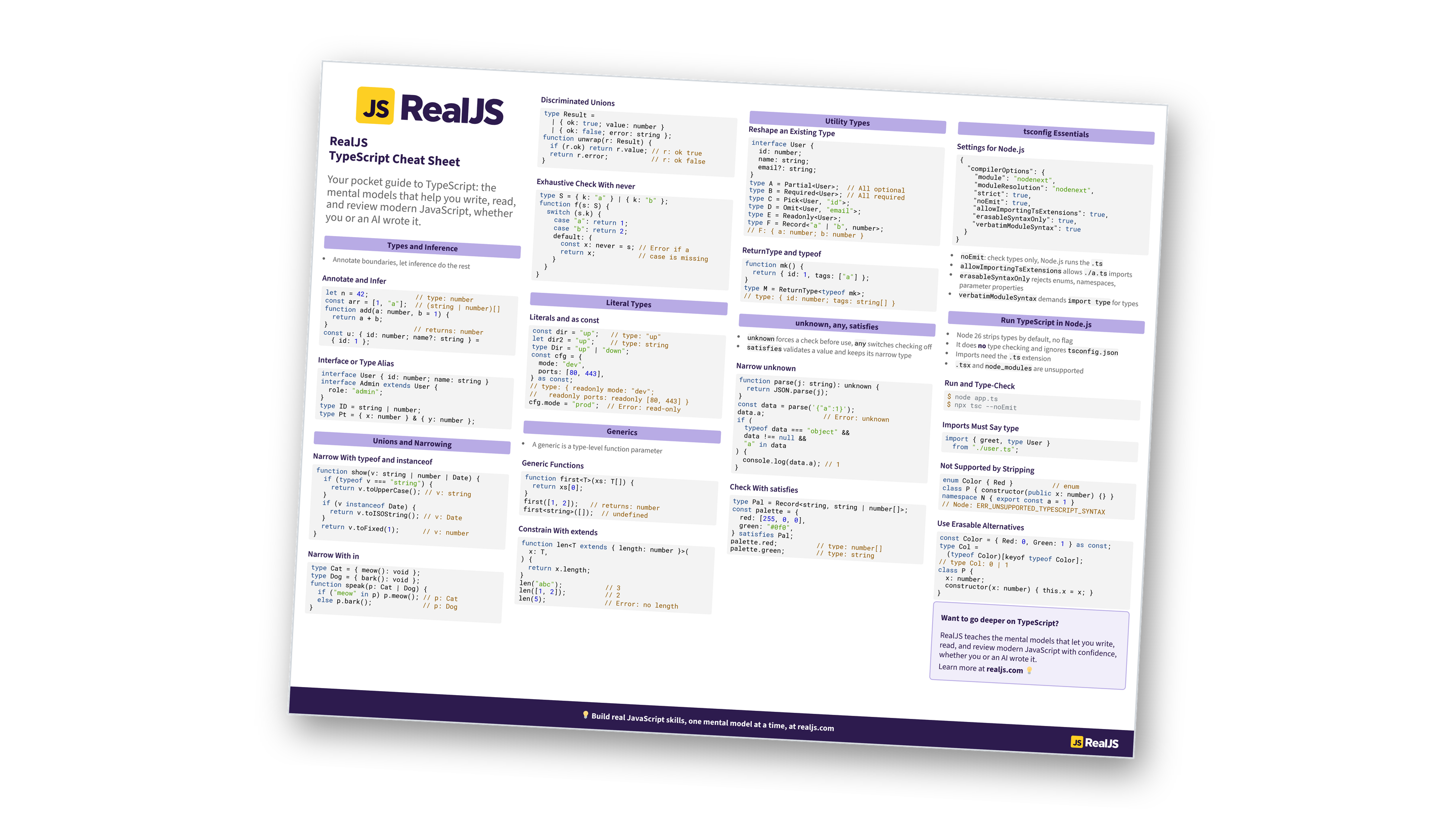
Your pocket guide to TypeScript: types, narrowing, generics, and running .ts files in Node.js with the mental models to write, read, and review modern JavaScript. You can also download the information as a printable cheat sheet:
Free Bonus: TypeScript Cheat Sheet
Get the TypeScript Cheat Sheet (PDF), a printable reference to type annotations and inference, interfaces vs. type aliases, unions and narrowing, generics, utility types, unknown and satisfies, tsconfig essentials, and running TypeScript in Node.js:
Want a guided path instead of a reference? Start learning at realjs.com.
Types and Inference
- Annotate boundaries, let inference do the rest
Annotate and Infer
let n = 42;            // type: number
const arr = [1, "a"];  // (string | number)[]
function add(a: number, b = 1) {
  return a + b;
}                      // returns: number
const u: { id: number; name?: string } =
  { id: 1 };
Interface or Type Alias
interface User { id: number; name: string }
interface Admin extends User {
  role: "admin";
}
type ID = string | number;
type Pt = { x: number } & { y: number };
Unions and Narrowing
Narrow With typeof and instanceof
function show(v: string | number | Date) {
  if (typeof v === "string") {
    return v.toUpperCase(); // v: string
  }
  if (v instanceof Date) {
    return v.toISOString(); // v: Date
  }
  return v.toFixed(1);      // v: number
}
Narrow With in
type Cat = { meow(): void };
type Dog = { bark(): void };
function speak(p: Cat | Dog) {
  if ("meow" in p) p.meow(); // p: Cat
  else p.bark();             // p: Dog
}
Discriminated Unions
type Result =
  | { ok: true; value: number }
  | { ok: false; error: string };
function unwrap(r: Result) {
  if (r.ok) return r.value; // r: ok true
  return r.error;           // r: ok false
}
Exhaustive Check With never
type S = { k: "a" } | { k: "b" };
function f(s: S) {
  switch (s.k) {
    case "a": return 1;
    case "b": return 2;
    default: {
      const x: never = s; // Error if a
      return x;           // case is missing
    }
  }
}
Literal Types
Literals and as const
const dir = "up";   // type: "up"
let dir2 = "up";    // type: string
type Dir = "up" | "down";
const cfg = {
  mode: "dev",
  ports: [80, 443],
} as const;
// type: { readonly mode: "dev";
//   readonly ports: readonly [80, 443] }
cfg.mode = "prod";  // Error: read-only
Generics
- A generic is a type-level function parameter
Generic Functions
function first<T>(xs: T[]) {
  return xs[0];
}
first([1, 2]);   // returns: number
first<string>([]);  // undefined
Constrain With extends
function len<T extends { length: number }>(
  x: T,
) {
  return x.length;
}
len("abc");           // 3
len([1, 2]);          // 2
len(5);               // Error: no length
Free Bonus: Download the TypeScript Cheat Sheet PDF and keep the essentials at hand.
Utility Types
Reshape an Existing Type
interface User {
  id: number;
  name: string;
  email?: string;
}
type A = Partial<User>;  // All optional
type B = Required<User>; // All required
type C = Pick<User, "id">;
type D = Omit<User, "email">;
type E = Readonly<User>;
type F = Record<"a" | "b", number>;
// F: { a: number; b: number }
ReturnType and typeof
function mk() {
  return { id: 1, tags: ["a"] };
}
type M = ReturnType<typeof mk>;
// type: { id: number; tags: string[] }
unknown, any, satisfies
unknownforces a check before use,anyswitches checking offsatisfiesvalidates a value and keeps its narrow type
Narrow unknown
function parse(j: string): unknown {
  return JSON.parse(j);
}
const data = parse('{"a":1}');
data.a;               // Error: unknown
if (
  typeof data === "object" &&
  data !== null &&
  "a" in data
) {
  console.log(data.a); // 1
}
Check With satisfies
type Pal = Record<string, string | number[]>;
const palette = {
  red: [255, 0, 0],
  green: "#0f0",
} satisfies Pal;
palette.red;          // type: number[]
palette.green;        // type: string
tsconfig Essentials
noEmit: check types only, Node.js runs the.tsallowImportingTsExtensionsallows./a.tsimportserasableSyntaxOnlyrejects enums, namespaces, parameter propertiesverbatimModuleSyntaxdemandsimport typefor types
Settings for Node.js
{
  "compilerOptions": {
    "module": "nodenext",
    "moduleResolution": "nodenext",
    "strict": true,
    "noEmit": true,
    "allowImportingTsExtensions": true,
    "erasableSyntaxOnly": true,
    "verbatimModuleSyntax": true
  }
}
Run TypeScript in Node.js
- Node 26 strips types by default, no flag
- It does no type checking and ignores
tsconfig.json - Imports need the
.tsextension .tsxandnode_modulesare unsupported
Run and Type-Check
$ node app.ts
$ npx tsc --noEmit
Imports Must Say type
import { greet, type User }
  from "./user.ts";
Not Supported by Stripping
enum Color { Red }          // enum
class P { constructor(public x: number) {} }
namespace N { export const a = 1 }
// Node: ERR_UNSUPPORTED_TYPESCRIPT_SYNTAX
Use Erasable Alternatives
const Color = { Red: 0, Green: 1 } as const;
type Col =
  (typeof Color)[keyof typeof Color];
// type Col: 0 | 1
class P {
  x: number;
  constructor(x: number) { this.x = x; }
}
Want to go deeper on TypeScript?
RealJS teaches the mental models that let you write, read, and review modern JavaScript with confidence, whether you or an AI wrote it.
Learn more at realjs.com 💡
You can download this information as a printable cheat sheet:
Free Bonus: TypeScript Cheat Sheet
Get the TypeScript Cheat Sheet (PDF), a printable reference to type annotations and inference, interfaces vs. type aliases, unions and narrowing, generics, utility types, unknown and satisfies, tsconfig essentials, and running TypeScript in Node.js:
