npm and package.json Cheat Sheet
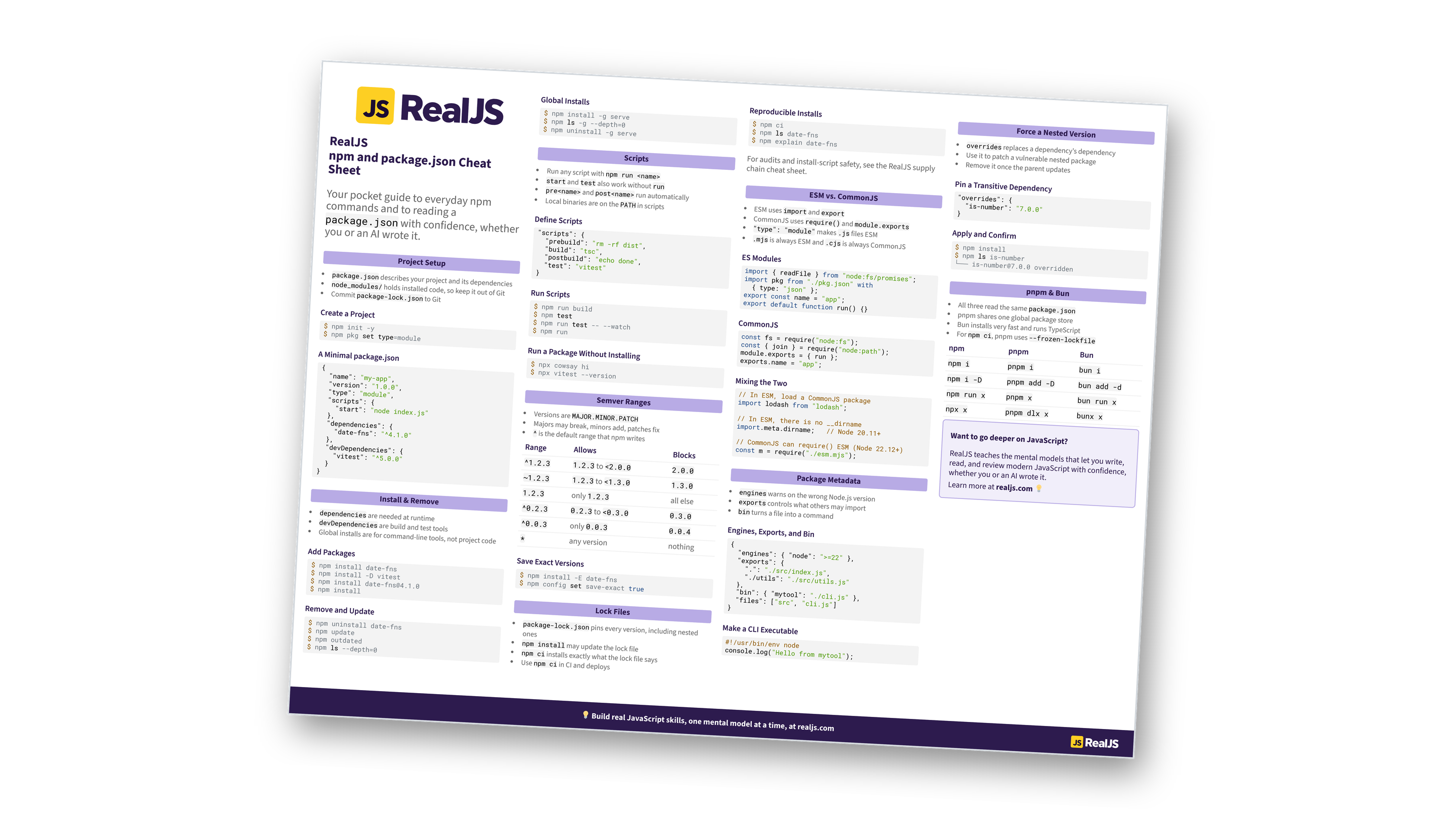
Look up the npm commands you use every day, from npm install to npm ci, and read a package.json with confidence, whether you or an AI wrote it. Learn the mental models behind semver, lock files, and modules. You can also download the information as a printable cheat sheet:
Free Bonus: npm and package.json Cheat Sheet
Get the npm and package.json Cheat Sheet (PDF), a printable reference to npm install and scripts, semver ranges, lock files and npm ci, ESM versus CommonJS, package.json metadata, and pnpm and Bun equivalents:
Want a guided path instead of a reference? Start learning at realjs.com.
Project Setup
package.jsondescribes your project and its dependenciesnode_modules/holds installed code, so keep it out of Git- Commit
package-lock.jsonto Git
Create a Project
$ npm init -y
$ npm pkg set type=module
A Minimal package.json
{
  "name": "my-app",
  "version": "1.0.0",
  "type": "module",
  "scripts": {
    "start": "node index.js"
  },
  "dependencies": {
    "date-fns": "^4.1.0"
  },
  "devDependencies": {
    "vitest": "^5.0.0"
  }
}
Install & Remove
dependenciesare needed at runtimedevDependenciesare build and test tools- Global installs are for command-line tools, not project code
Add Packages
$ npm install date-fns
$ npm install -D vitest
$ npm install [email protected]
$ npm install
Remove and Update
$ npm uninstall date-fns
$ npm update
$ npm outdated
$ npm ls --depth=0
Global Installs
$ npm install -g serve
$ npm ls -g --depth=0
$ npm uninstall -g serve
Scripts
- Run any script with
npm run <name> startandtestalso work withoutrunpre<name>andpost<name>run automatically- Local binaries are on the
PATHin scripts
Define Scripts
"scripts": {
  "prebuild": "rm -rf dist",
  "build": "tsc",
  "postbuild": "echo done",
  "test": "vitest"
}
Run Scripts
$ npm run build
$ npm test
$ npm run test -- --watch
$ npm run
Run a Package Without Installing
$ npx cowsay hi
$ npx vitest --version
Semver Ranges
- Versions are
MAJOR.MINOR.PATCH - Majors may break, minors add, patches fix
^is the default range that npm writes
| Range | Allows | Blocks |
|---|---|---|
^1.2.3 |
1.2.3 to <2.0.0 |
2.0.0 |
~1.2.3 |
1.2.3 to <1.3.0 |
1.3.0 |
1.2.3 |
only 1.2.3 |
all else |
^0.2.3 |
0.2.3 to <0.3.0 |
0.3.0 |
^0.0.3 |
only 0.0.3 |
0.0.4 |
* |
any version | nothing |
Save Exact Versions
$ npm install -E date-fns
$ npm config set save-exact true
Free Bonus: Download the npm and package.json Cheat Sheet PDF and keep the essentials at hand.
Lock Files
package-lock.jsonpins every version, including nested onesnpm installmay update the lock filenpm ciinstalls exactly what the lock file says- Use
npm ciin CI and deploys
Reproducible Installs
$ npm ci
$ npm ls date-fns
$ npm explain date-fns
For audits and install-script safety, see the RealJS supply chain cheat sheet.
ESM vs. CommonJS
- ESM uses
importandexport - CommonJS uses
require()andmodule.exports "type": "module"makes.jsfiles ESM.mjsis always ESM and.cjsis always CommonJS
ES Modules
import { readFile } from "node:fs/promises";
import pkg from "./pkg.json" with
  { type: "json" };
export const name = "app";
export default function run() {}
CommonJS
const fs = require("node:fs");
const { join } = require("node:path");
module.exports = { run };
exports.name = "app";
Mixing the Two
// In ESM, load a CommonJS package
import lodash from "lodash";

// In ESM, there is no __dirname
import.meta.dirname;   // Node 20.11+

// CommonJS can require() ESM (Node 22.12+)
const m = require("./esm.mjs");
Package Metadata
engineswarns on the wrong Node.js versionexportscontrols what others may importbinturns a file into a command
Engines, Exports, and Bin
{
  "engines": { "node": ">=22" },
  "exports": {
    ".": "./src/index.js",
    "./utils": "./src/utils.js"
  },
  "bin": { "mytool": "./cli.js" },
  "files": ["src", "cli.js"]
}
Make a CLI Executable
#!/usr/bin/env node
console.log("Hello from mytool");
Force a Nested Version
overridesreplaces a dependency’s dependency- Use it to patch a vulnerable nested package
- Remove it once the parent updates
Pin a Transitive Dependency
"overrides": {
  "is-number": "7.0.0"
}
Apply and Confirm
$ npm install
$ npm ls is-number
└── [email protected] overridden
Free Bonus: Download the npm and package.json Cheat Sheet PDF and keep the essentials at hand.
pnpm & Bun
- All three read the same
package.json - pnpm shares one global package store
- Bun installs very fast and runs TypeScript
- For
npm ci, pnpm uses--frozen-lockfile
| npm | pnpm | Bun |
|---|---|---|
npm i |
pnpm i |
bun i |
npm i -D |
pnpm add -D |
bun add -d |
npm run x |
pnpm x |
bun run x |
npx x |
pnpm dlx x |
bunx x |
Want to go deeper on JavaScript?
RealJS teaches the mental models that let you write, read, and review modern JavaScript with confidence, whether you or an AI wrote it.
Learn more at realjs.com 💡
You can download this information as a printable cheat sheet:
Free Bonus: npm and package.json Cheat Sheet
Get the npm and package.json Cheat Sheet (PDF), a printable reference to npm install and scripts, semver ranges, lock files and npm ci, ESM versus CommonJS, package.json metadata, and pnpm and Bun equivalents:
