LLM APIs and MCP in JavaScript Cheat Sheet
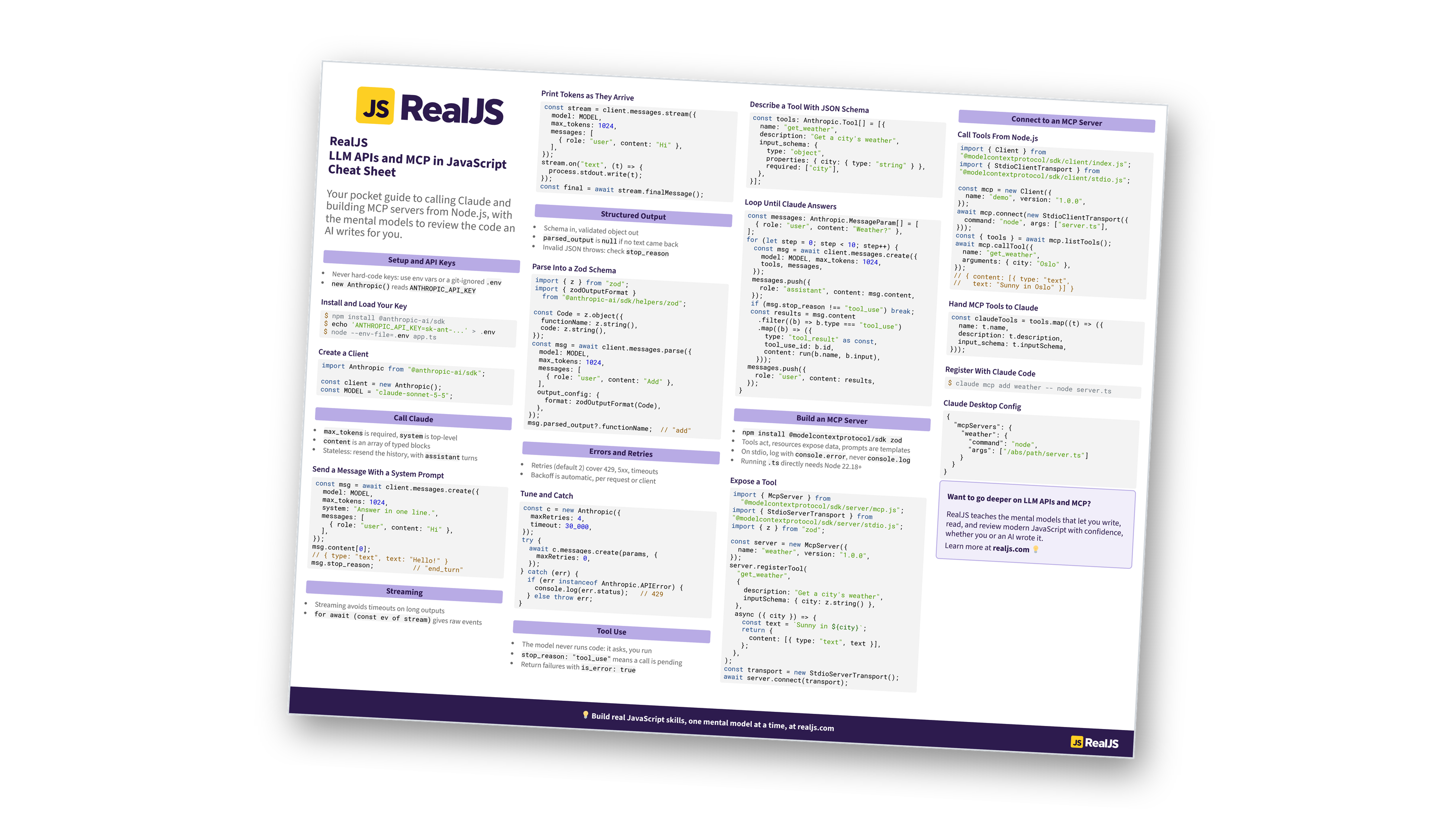
Call Claude from Node.js with the official TypeScript SDK, then build and connect MCP servers. Covers streaming, tool use, structured output, and error handling. You can also download the information as a printable cheat sheet:
Free Bonus: LLM APIs and MCP in JavaScript Cheat Sheet
Get the LLM APIs and MCP in JavaScript Cheat Sheet (PDF), a printable reference to Claude API calls in Node.js, streaming, tool use, structured output, retries, and building MCP servers and clients:
Want a guided path instead of a reference? Start learning at realjs.com.
Setup and API Keys
- Never hard-code keys: use env vars or a git-ignored
.env new Anthropic()readsANTHROPIC_API_KEY
Install and Load Your Key
$ npm install @anthropic-ai/sdk
$ echo 'ANTHROPIC_API_KEY=sk-ant-...' > .env
$ node --env-file=.env app.ts
Create a Client
import Anthropic from "@anthropic-ai/sdk";

const client = new Anthropic();
const MODEL = "claude-sonnet-5-5";
Call Claude
max_tokensis required,systemis top-levelcontentis an array of typed blocks- Stateless: resend the history, with
assistantturns
Send a Message With a System Prompt
const msg = await client.messages.create({
  model: MODEL,
  max_tokens: 1024,
  system: "Answer in one line.",
  messages: [
    { role: "user", content: "Hi" },
  ],
});
msg.content[0];
// { type: "text", text: "Hello!" }
msg.stop_reason;          // "end_turn"
Streaming
- Streaming avoids timeouts on long outputs
for await (const ev of stream)gives raw events
Print Tokens as They Arrive
const stream = client.messages.stream({
  model: MODEL,
  max_tokens: 1024,
  messages: [
    { role: "user", content: "Hi" },
  ],
});
stream.on("text", (t) => {
  process.stdout.write(t);
});
const final = await stream.finalMessage();
Structured Output
- Schema in, validated object out
parsed_outputisnullif no text came back- Invalid JSON throws: check
stop_reason
Parse Into a Zod Schema
import { z } from "zod";
import { zodOutputFormat }
  from "@anthropic-ai/sdk/helpers/zod";

const Code = z.object({
  functionName: z.string(),
  code: z.string(),
});
const msg = await client.messages.parse({
  model: MODEL,
  max_tokens: 1024,
  messages: [
    { role: "user", content: "Add" },
  ],
  output_config: {
    format: zodOutputFormat(Code),
  },
});
msg.parsed_output?.functionName;  // "add"
Free Bonus: Download the LLM APIs and MCP in JavaScript Cheat Sheet PDF and keep the essentials at hand.
Errors and Retries
- Retries (default 2) cover 429, 5xx, timeouts
- Backoff is automatic, per request or client
Tune and Catch
const c = new Anthropic({
  maxRetries: 4,
  timeout: 30_000,
});
try {
  await c.messages.create(params, {
    maxRetries: 0,
  });
} catch (err) {
  if (err instanceof Anthropic.APIError) {
    console.log(err.status);   // 429
  } else throw err;
}
Tool Use
- The model never runs code: it asks, you run
stop_reason: "tool_use"means a call is pending- Return failures with
is_error: true
Describe a Tool With JSON Schema
const tools: Anthropic.Tool[] = [{
  name: "get_weather",
  description: "Get a city's weather",
  input_schema: {
    type: "object",
    properties: { city: { type: "string" } },
    required: ["city"],
  },
}];
Loop Until Claude Answers
const messages: Anthropic.MessageParam[] = [
  { role: "user", content: "Weather?" },
];
for (let step = 0; step < 10; step++) {
  const msg = await client.messages.create({
    model: MODEL, max_tokens: 1024,
    tools, messages,
  });
  messages.push({
    role: "assistant", content: msg.content,
  });
  if (msg.stop_reason !== "tool_use") break;
  const results = msg.content
    .filter((b) => b.type === "tool_use")
    .map((b) => ({
      type: "tool_result" as const,
      tool_use_id: b.id,
      content: run(b.name, b.input),
    }));
  messages.push({
    role: "user", content: results,
  });
}
Build an MCP Server
npm install @modelcontextprotocol/sdk zod- Tools act, resources expose data, prompts are templates
- On stdio, log with
console.error, neverconsole.log - Running
.tsdirectly needs Node 22.18+
Expose a Tool
import { McpServer } from
  "@modelcontextprotocol/sdk/server/mcp.js";
import { StdioServerTransport } from
"@modelcontextprotocol/sdk/server/stdio.js";
import { z } from "zod";

const server = new McpServer({
  name: "weather", version: "1.0.0",
});
server.registerTool(
  "get_weather",
  {
    description: "Get a city's weather",
    inputSchema: { city: z.string() },
  },
  async ({ city }) => {
    const text = `Sunny in ${city}`;
    return {
      content: [{ type: "text", text }],
    };
  },
);
const transport = new StdioServerTransport();
await server.connect(transport);
Connect to an MCP Server
Call Tools From Node.js
import { Client } from
"@modelcontextprotocol/sdk/client/index.js";
import { StdioClientTransport } from
"@modelcontextprotocol/sdk/client/stdio.js";

const mcp = new Client({
  name: "demo", version: "1.0.0",
});
await mcp.connect(new StdioClientTransport({
  command: "node", args: ["server.ts"],
}));
const { tools } = await mcp.listTools();
await mcp.callTool({
  name: "get_weather",
  arguments: { city: "Oslo" },
});
// { content: [{ type: "text",
//   text: "Sunny in Oslo" }] }
Hand MCP Tools to Claude
const claudeTools = tools.map((t) => ({
  name: t.name,
  description: t.description,
  input_schema: t.inputSchema,
}));
Register With Claude Code
$ claude mcp add weather -- node server.ts
Claude Desktop Config
{
  "mcpServers": {
    "weather": {
      "command": "node",
      "args": ["/abs/path/server.ts"]
    }
  }
}
Want to go deeper on LLM APIs and MCP?
RealJS teaches the mental models that let you write, read, and review modern JavaScript with confidence, whether you or an AI wrote it.
Learn more at realjs.com 💡
You can download this information as a printable cheat sheet:
Free Bonus: LLM APIs and MCP in JavaScript Cheat Sheet
Get the LLM APIs and MCP in JavaScript Cheat Sheet (PDF), a printable reference to Claude API calls in Node.js, streaming, tool use, structured output, retries, and building MCP servers and clients:
